Identify Tool
Use the Identify tool to examine features attributes of map layers and service layers.
NOTE: The Identify Tool must be inactive to pan the map.
- Click the identify button.
- Hover mouse on map, click, and drag.
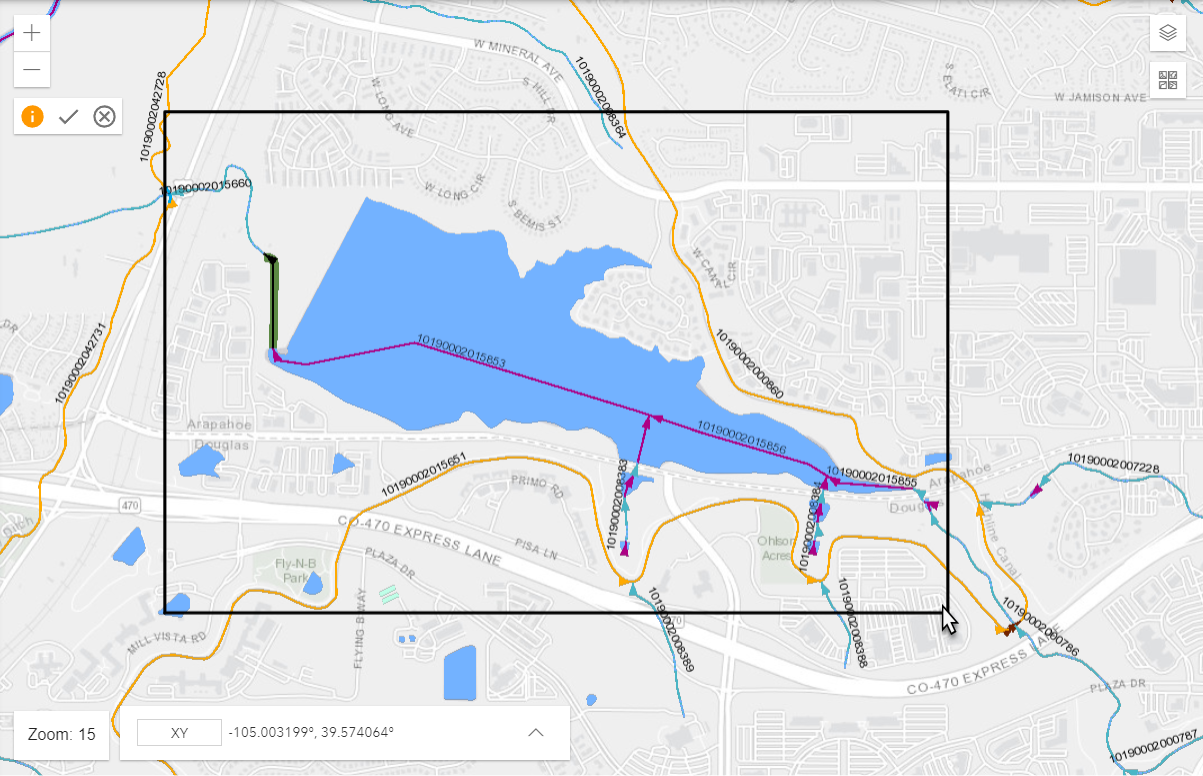
- Click the Accept and Identify button within the Identify buttons.
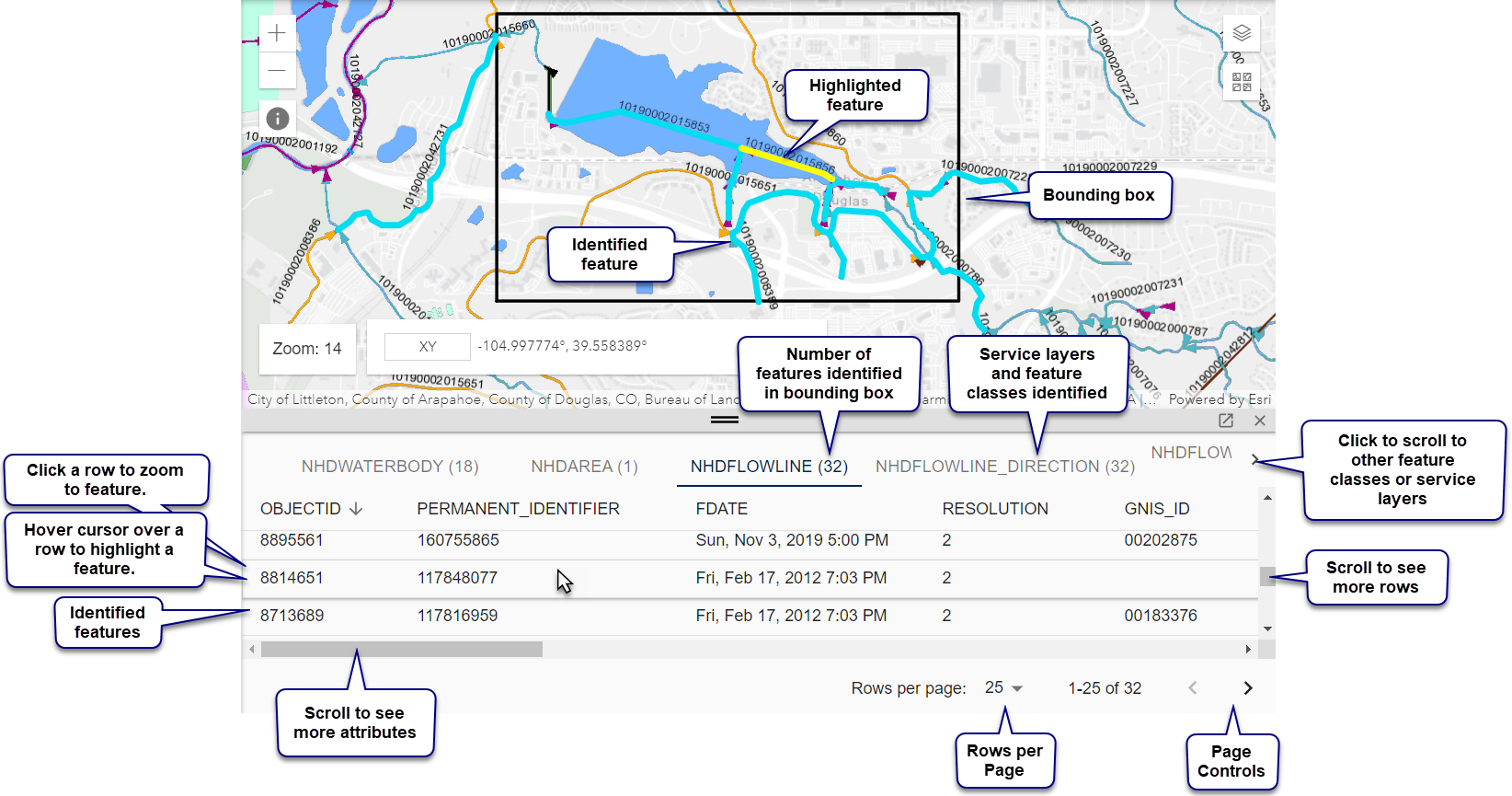
- The identify attributes pane opens below the map.
- Click the identify scrolling arrow
 at the top of the identify pane to see other service layers.
- Click a service layer at the top of the identify pane to switch service layers.
- Hover cursor over feature in a service layer to highlight features on the map.
- Click a row in the attributes pane to zooms to the feature.
- Turn off the identify tool with the Cancel button within the Identify buttons.
This allows you to pan the map without re-identifying features.